This makes us dream, isn’t it ?
If it’s your garage then, please, contact me ! lol
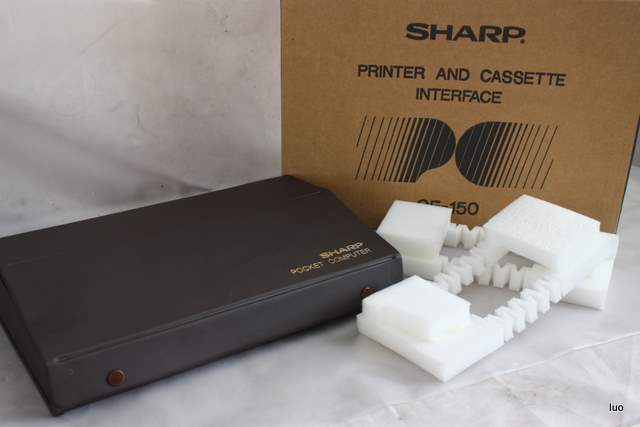
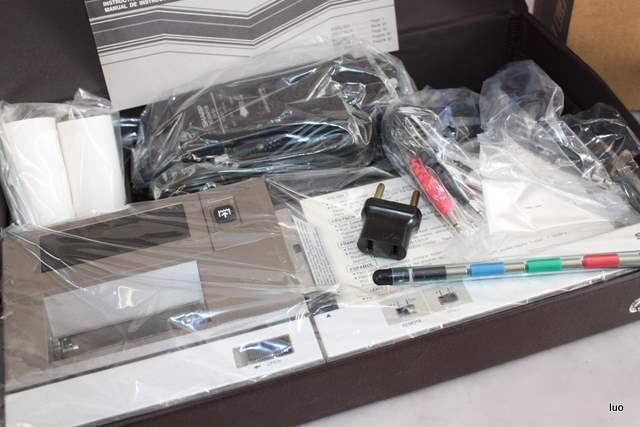
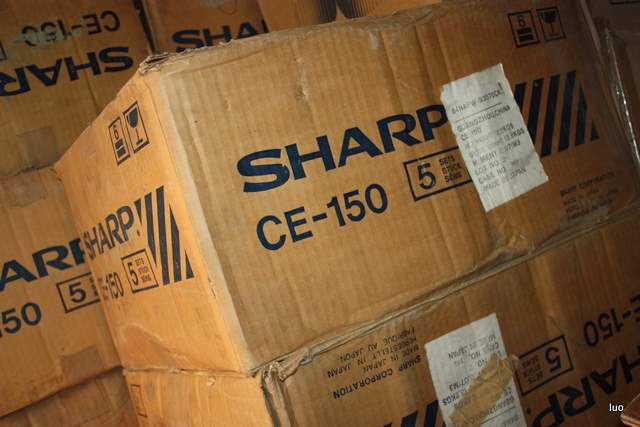
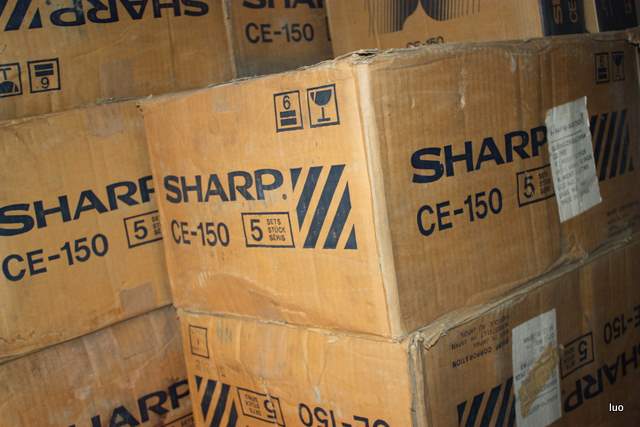
(Pictures from the web)
Sharp CE-150 in my garage ? No, not mine :-(
Leave a reply
This makes us dream, isn’t it ?
If it’s your garage then, please, contact me ! lol
(Pictures from the web)
Do you remember the beautiful NANFENG PC-1500A ?
Here is a little bit more about the company with this advertisement :
If you own other informations from this company and this version of the PC-1500A then contact me)
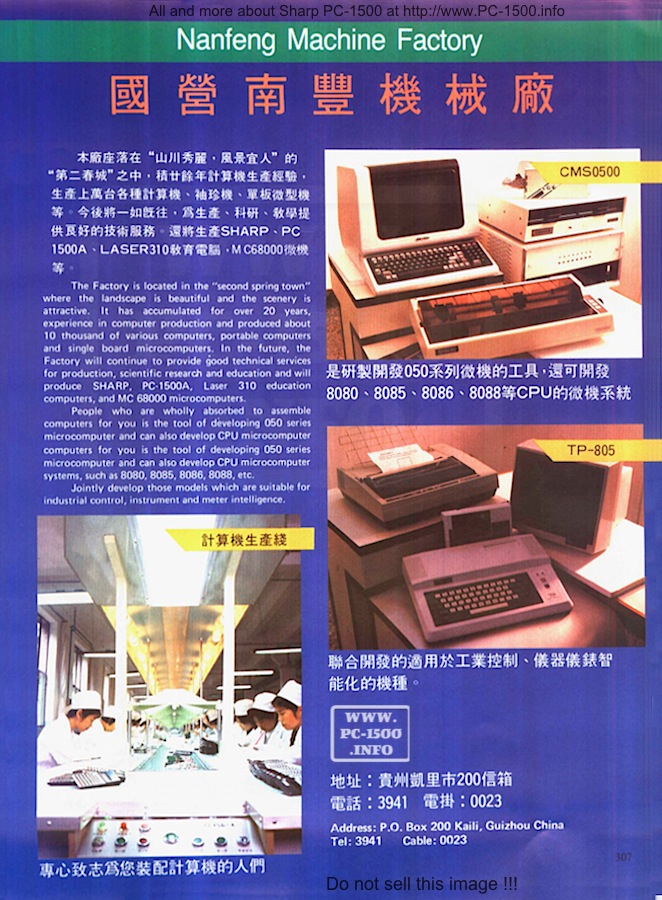
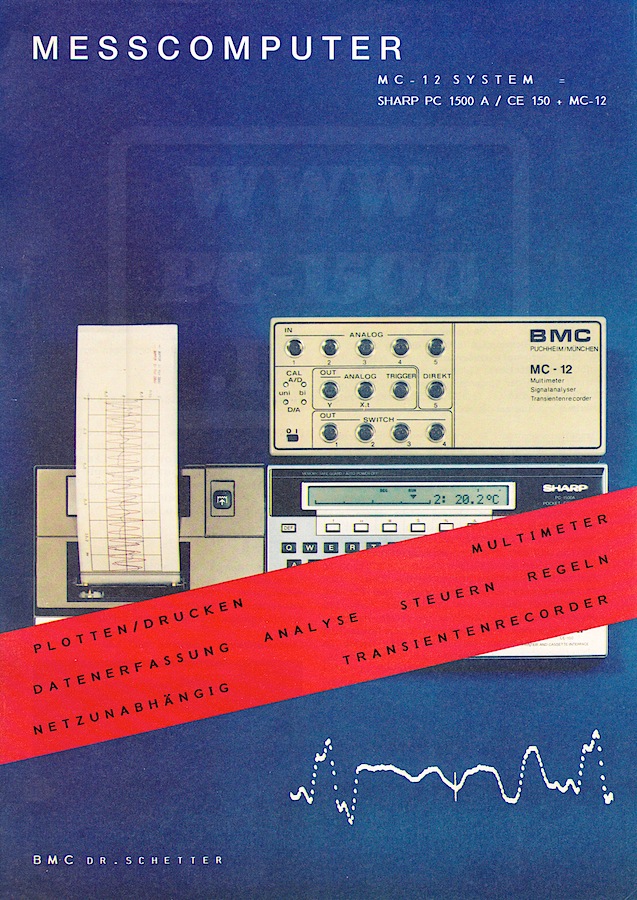
Here is one bonus for you : the original MC-12 color advertisement.
And a big thank you to my friend Ray for this advertisement stored all these years
(And no thanks at all to BMC for their “no help”)
Another gift from Frank C. Odds : Probe!
Frank tells us :
PROBE!
Writing PROBE! (ca. 1984) was the only time I ever made money from working with the PC-1500. The biggest problem with Sharp’s wonderful pocket computer was that it had no compiler. You wrote programs in BASIC, and when they ran, the computer painfully interpreted each step from BASIC, line by line, and thus executed the instructions.
In any computer processor, the ‘true’ inputs and outputs are bytes of binary symbols, e.g. 10011000 011011110 etc. No human brain can seriously contemplate writing complex programs this way, but if each 8 binary digits (each byte) is written as a hexadecimal number (the previous example would be 98 DE) they become slightly easier to deal with. A program written as a series of hexadecimal bytes poked into successive memory locations is described as ‘machine code’.
Machine code still requires a pretty giant intellect to put together hexadecimal bytes in a way that constructs a useable program. It would be handy to have a programming language less complex than BASIC, but which makes better sense than a string of bytes. Such a language is known as ‘assembler’. Its details depend on the precise way the computer’s central processing unit (CPU) functions.
The PC-1500 CPU works with three ‘registers’, X, Y and U, each of which can hold 2 bytes, an accumulator (A) and a small number of other components with names such as ‘program counter’, ‘timer’, and ‘carry flag’, but I’m trying to keep things here as simple as possible! Programming then becomes a sequence of loading numbers into various registers, getting the accumulator to work on them, and many remarkably small steps which, between them, perform the functions you want.
The bottom line: a high-level language like BASIC is fairly easy to understand as a series of English-language instructions. Assembly language — a lower-level language — looks like gobbledygook, but it is a labguage one can learn, and it gets much closer to the way the CPU truly functions.
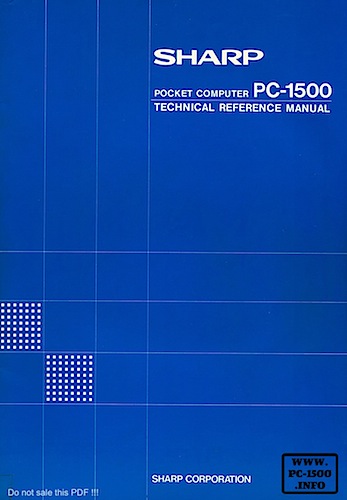
In the early 1980s, Sharp published their Technical Reference Manual for the PC-1500. This gave a lot of information on the PC-1500’s hardware and software. Critically, it explained and detailed the instructions that could be handled by the CPU in both assembly code and its machine language equivalents. This made it possible for users to write complex programs in assembler, and to poke the corresponding machine code into the PC-1500 memory. The result was a program that ran many, many times faster than a BASIC program.
I loved the whole challenge of writing complicated programs in assembler and was (then) young enough to learn the language and remember the many commands. I must have spent many hours with the Technical Reference Manual at my side: many of the pages are now completely loose!
The Sharp Technical Reference Manual was a really nicely produced book. As well as very thorough descriptions of PC-1500 assembler language, it also showed how the PC-1500 memory (ROM and RAM) were laid out. What it did not provide was details of the Sharp proprietary machine code that interpreted user’s BASIC programs. Consider a line such as this…
10: INPUT “What is your name? ”; A$
You know that, somewhere in the computer’s memory, there is a machine-code routine that displays the string “What is your name? ” and waits for you to input A$, which is then passed somewhere to memory. But you have no idea of the memory address where that machine code starts to run.
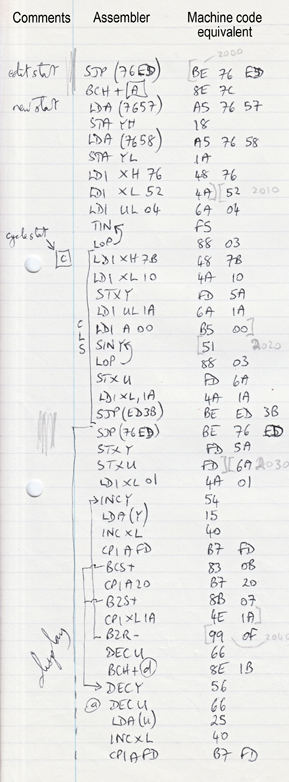 Fig. 1
So I wrote PROBE! It’s a kind of reverse assembler. When you run PROBE! you input a memory address and the program prints out the machine code that starts at that address. In fact, it does a lot more, because PROBE! doesn’t merely read the hex bytes: it reverse-interprets the machine code so a sequence of assembler instructions is printed out by the CE-150. The user can even select an option for PROBE! to follow branches and jumps in assembler, in which case the output should reflect precisely the way a particular routine carries out its function. The catch is that you have to be lucky or accurate in your chosen starting memory address, or the output will not be helpful. It’s the equivalent of translating DNA codons out of phase.
When I’d finished putting PROBE! together, I contacted Ronald Cohen, who produced the monthly magazine called Status 1500. PROBE! was far too long and complex a program for Ronald to print it in the magazine, and for readers painfully to copy it to their PC-1500s. The answer was to sell the program ready loaded on cassettes. (It may seem incredible, but the idea of paying for ready-to-run software was still pretty novel in the mid-1980s!)
Ronald advised I should charge a high price. I was unhappy to do so: I was unsure how well the tape cassettes I produced would run on other people’s set-ups, and I have never really been an entrepreneur. I advertised the program in Status 1500 at £4 per cassette. To my amazement, I received about 30 orders, all within just a couple of weeks.
Let me end this story with a confession. I hope the people who bought PROBE! had more success with it than I did myself. I quickly tired of randomly guessing where built-in routines might start, and ultimately I just developed the skill to write my own assembler code. As far as I can recall, I never used any output from PROBE! to help me develop my machine-code programs!
You can download Probe! files here :
User manual, Bas file, Wav file
Thank you very much Frank !!!
Readers, enjoy this gift and thank you for your feedbacks.
Fig. 1. The opening of my machine code program EASI-THOUGHT from the hand-written original. In the left-hand column I have noted what a routine does. The centre column shows the instructions in assembler, and the right-hand column gives the appropriate machine code hexadecimals, as copied from the Sharp Technical Reference Manual.
Just after Christmas my friend CGH was at home for a “PC-1500 day”.
We have talked, tinkered and exchanged some machines.
I’m proud to present you this one : the oldest PC-1500 i know !
(Except his one with a lower serial number)
Externally there is no change, it’s a PC-1500.
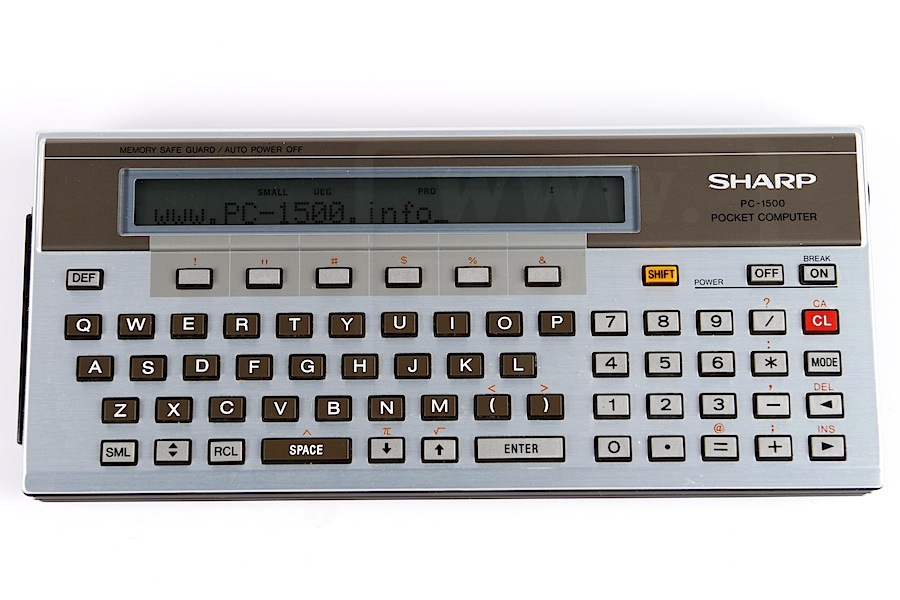
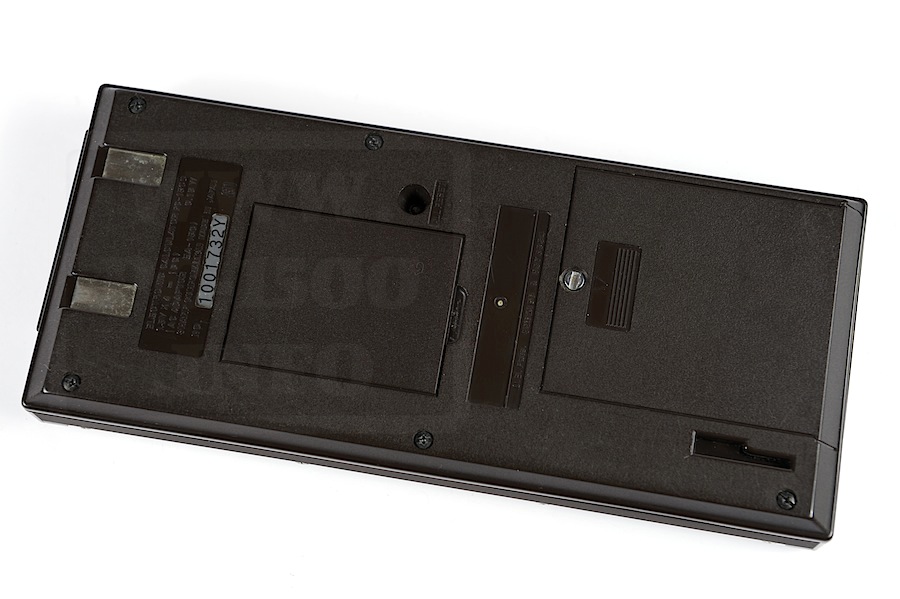
And on the back the only difference is the serial number :
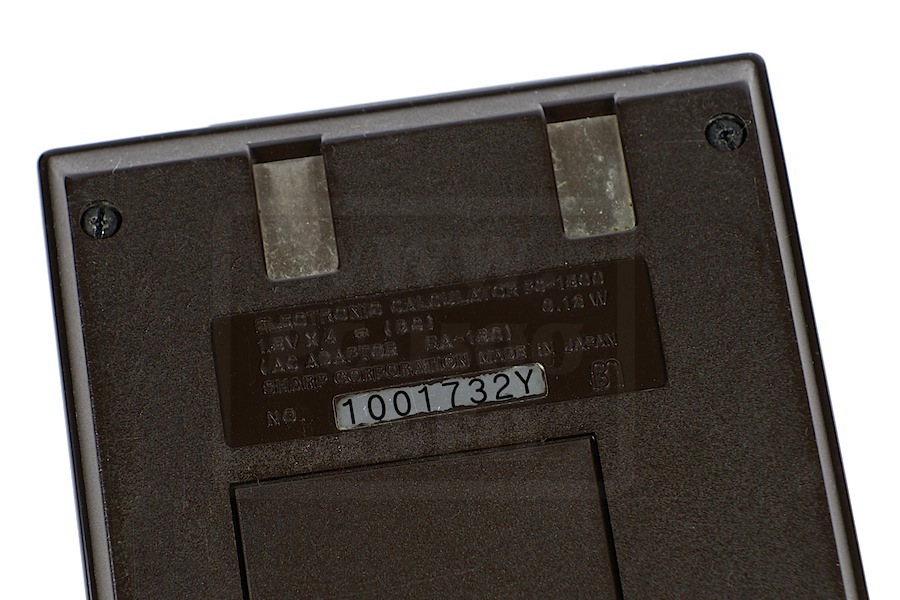
But let’s opening the machine :
It’s strapped like a A01 ROM. Uh… these straps are white ! The first time i see one like this.
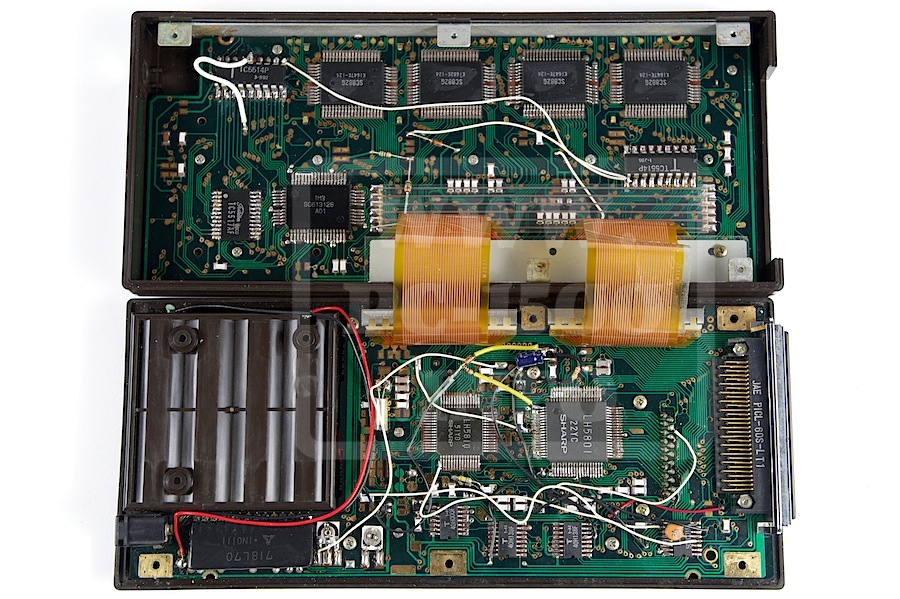
We can see on the SC613128 IC that it’s a A01 ROM.
The biggest white strap is mine, to repair a memory access problem.
Do you see the diodes on straps ? First time too…
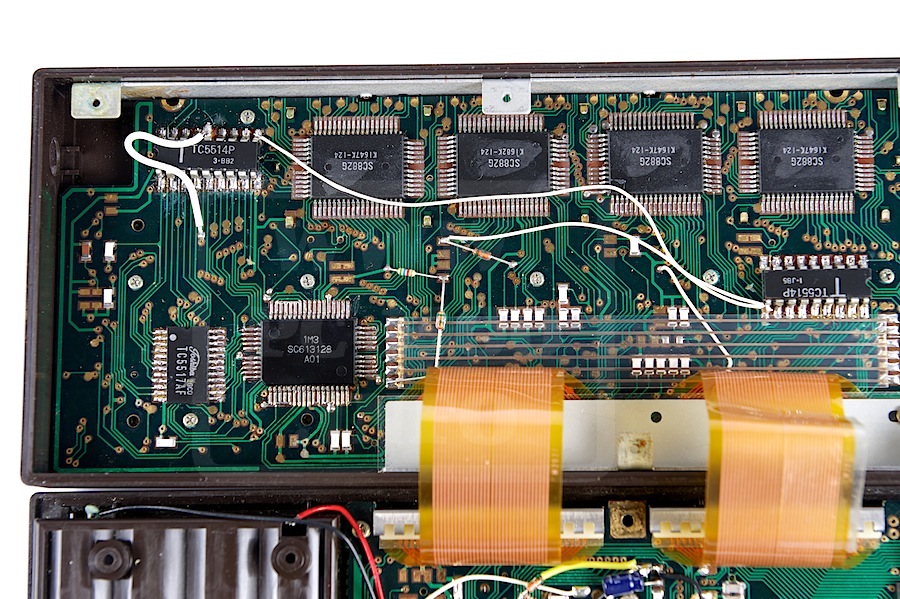
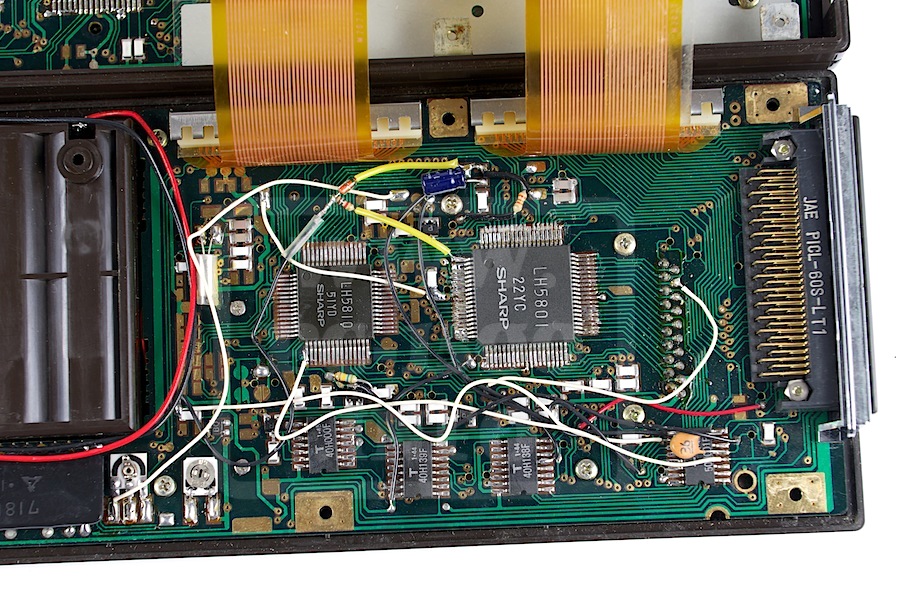
Ok, more ?
The display board version is F2025, the oldest i know.
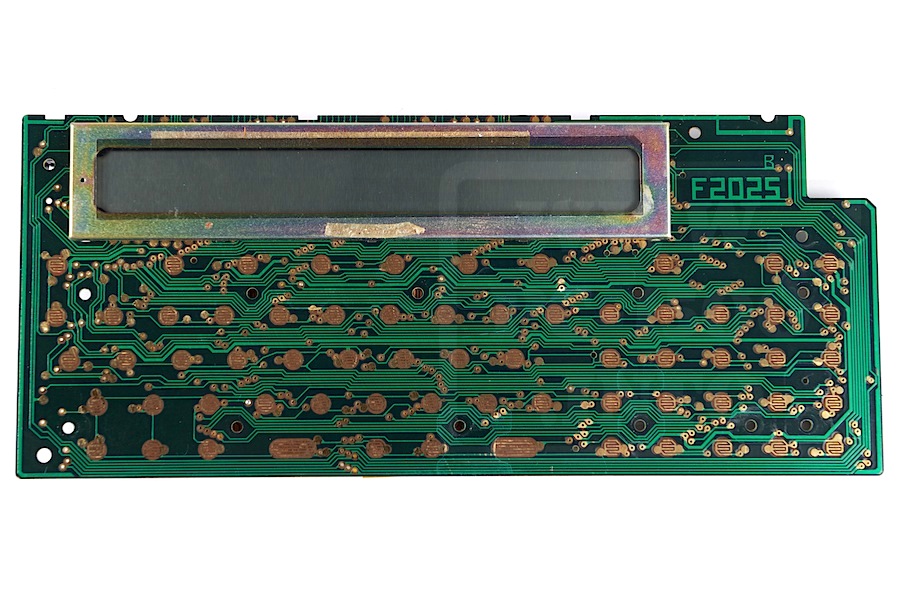
And the mode exciting, the CPU board !
There is no board revision !!!
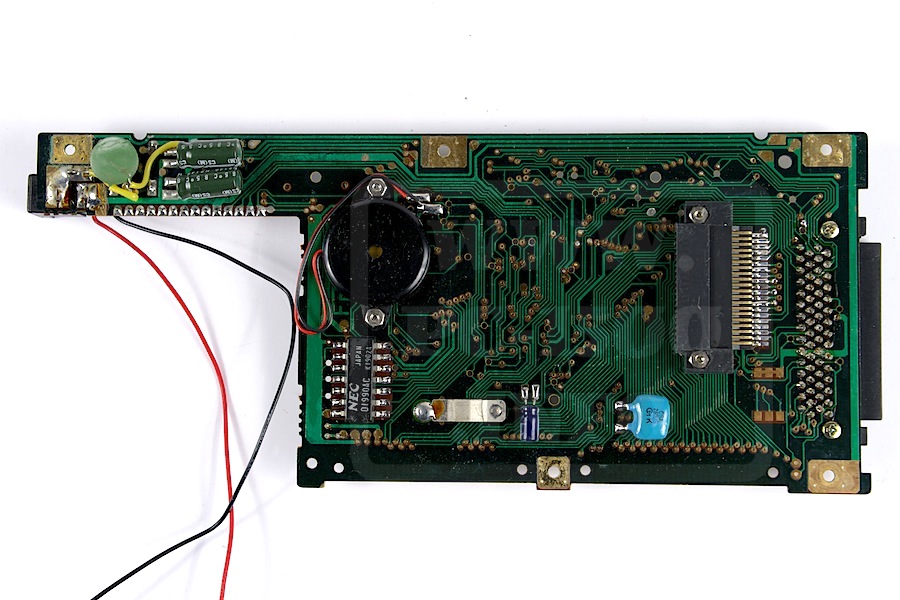
If some of you have similar PC-1500, please, contact me to compare boards versions. 😉
And if you don’t have… this is a new quest !
This is MC-12A’s little brother in size and expandability.
It’s more compact and feel more robust.
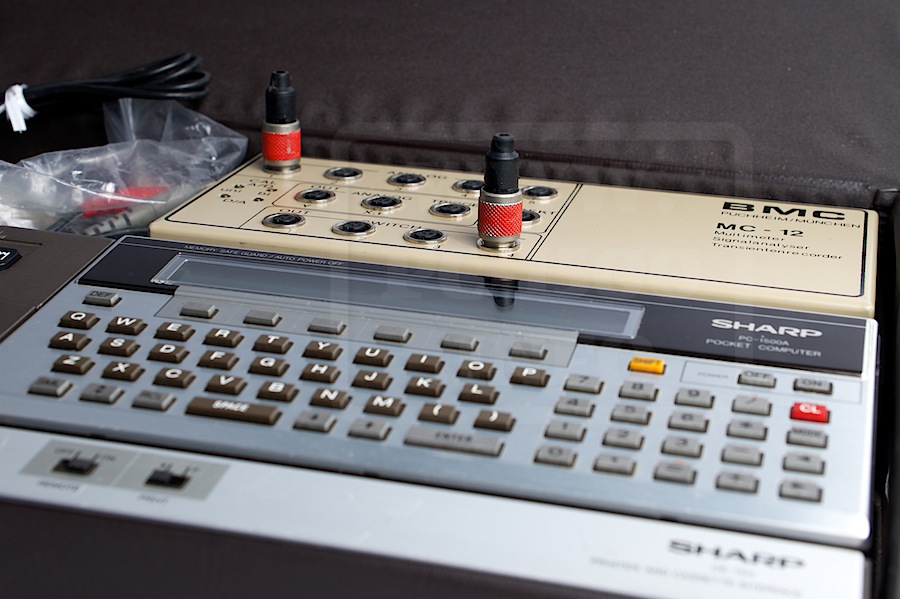
And it can be stored and used in the CE-150 case
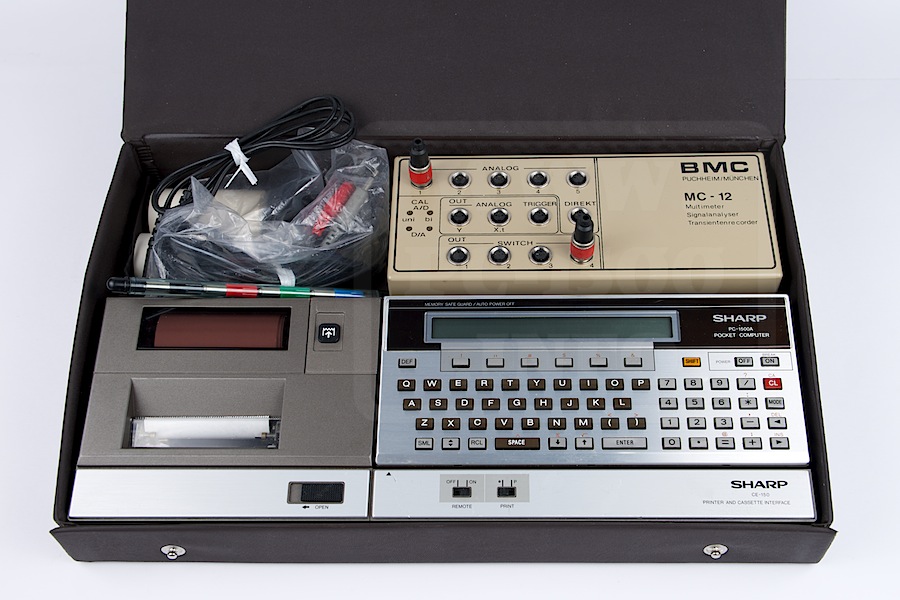
As you can see it’s not designed to be used without the CE-150. The main I/O are present.
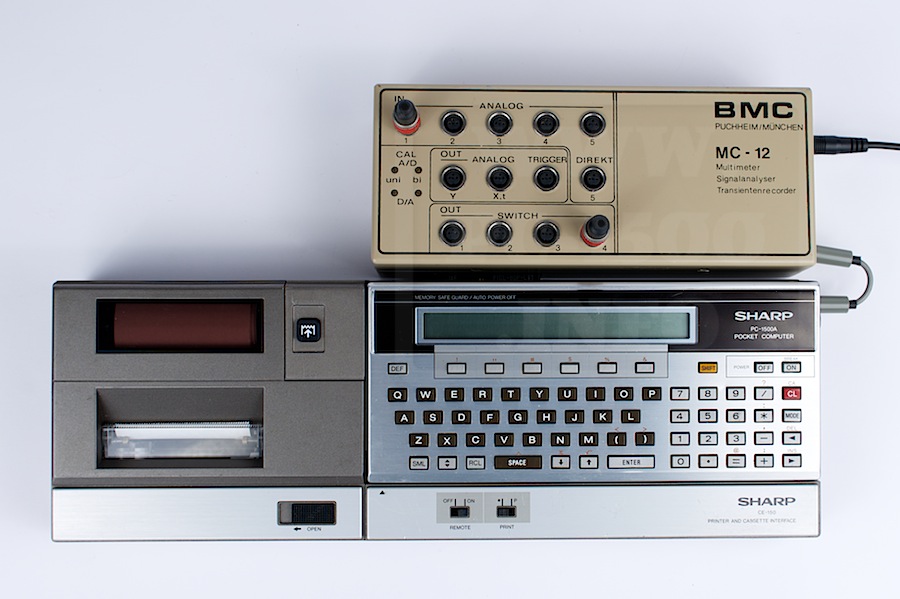
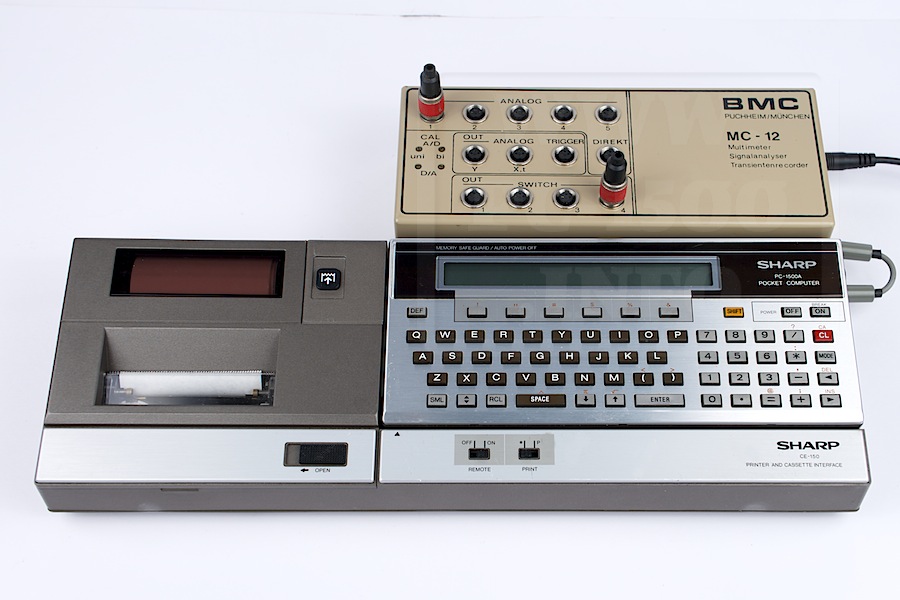
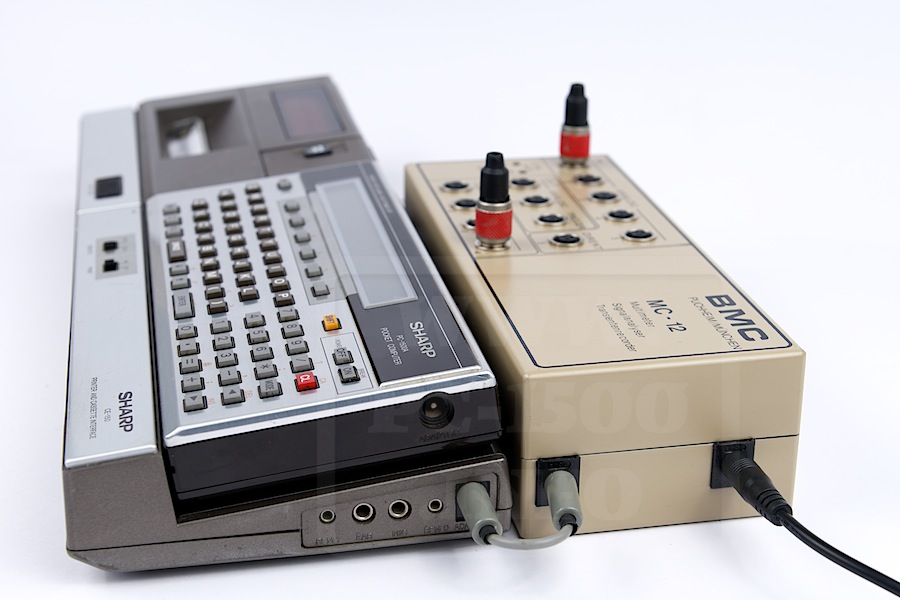

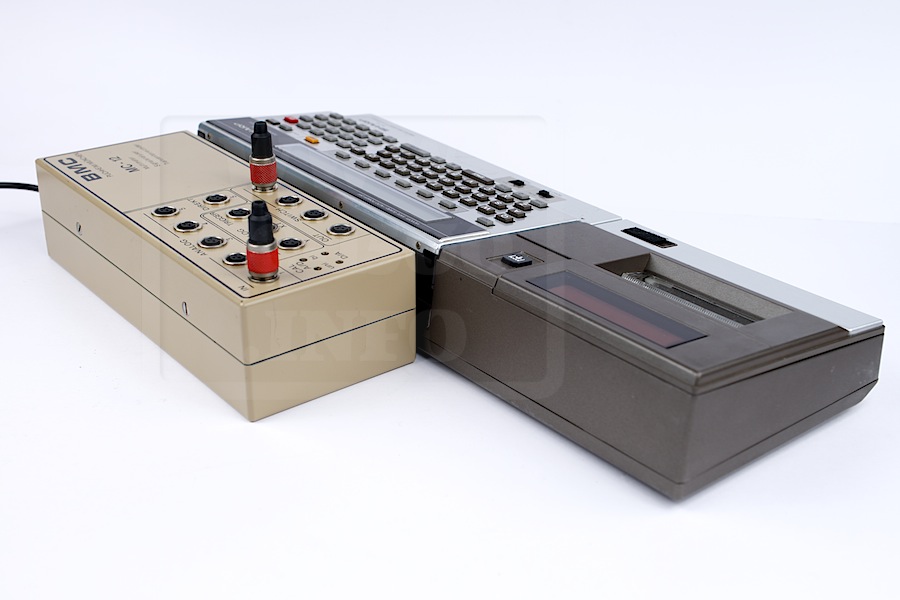
But there is no other I/O connectors except power ones.
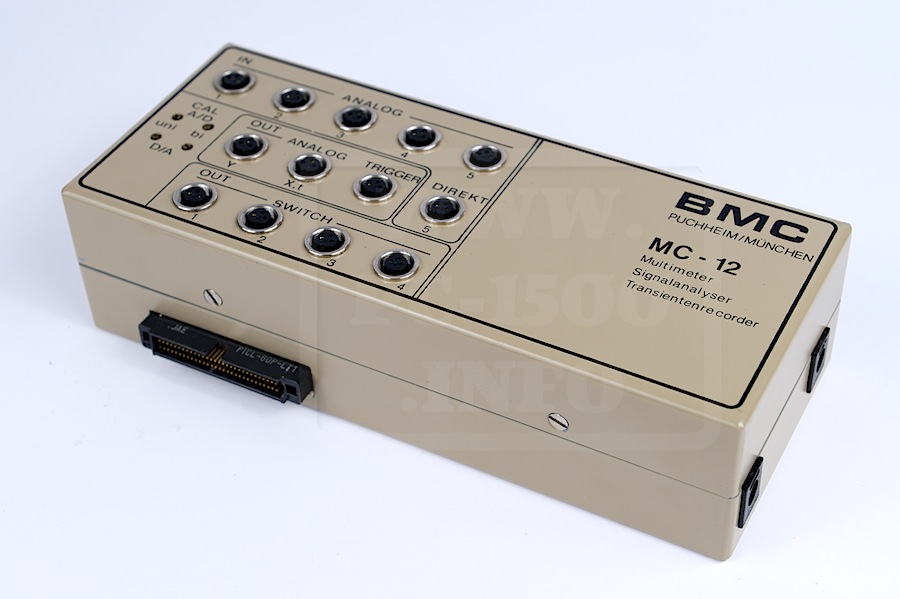
No V24 or digital I/O expansion port.
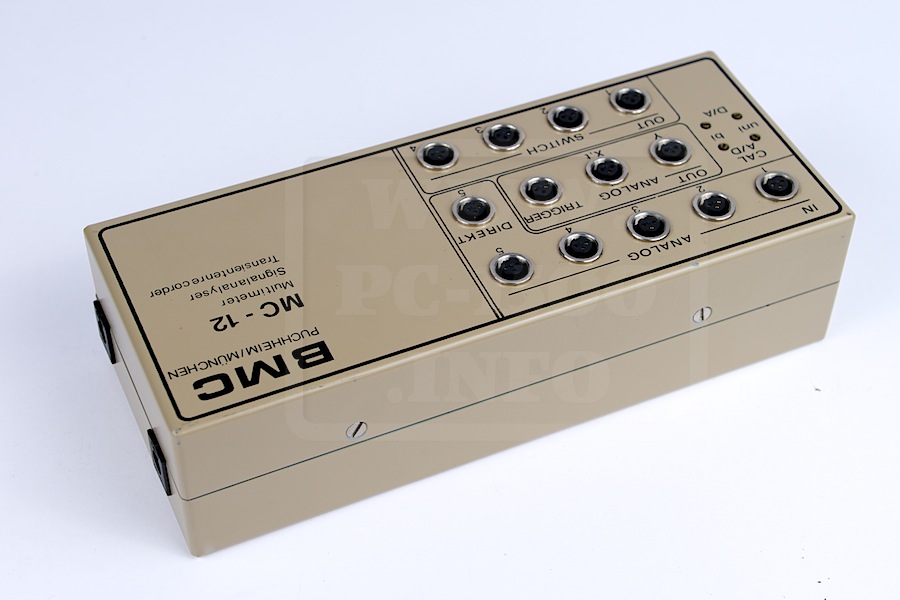
Next time we will open the case 😉
Let’s go for the technical view.
You can first download this advert in german language :
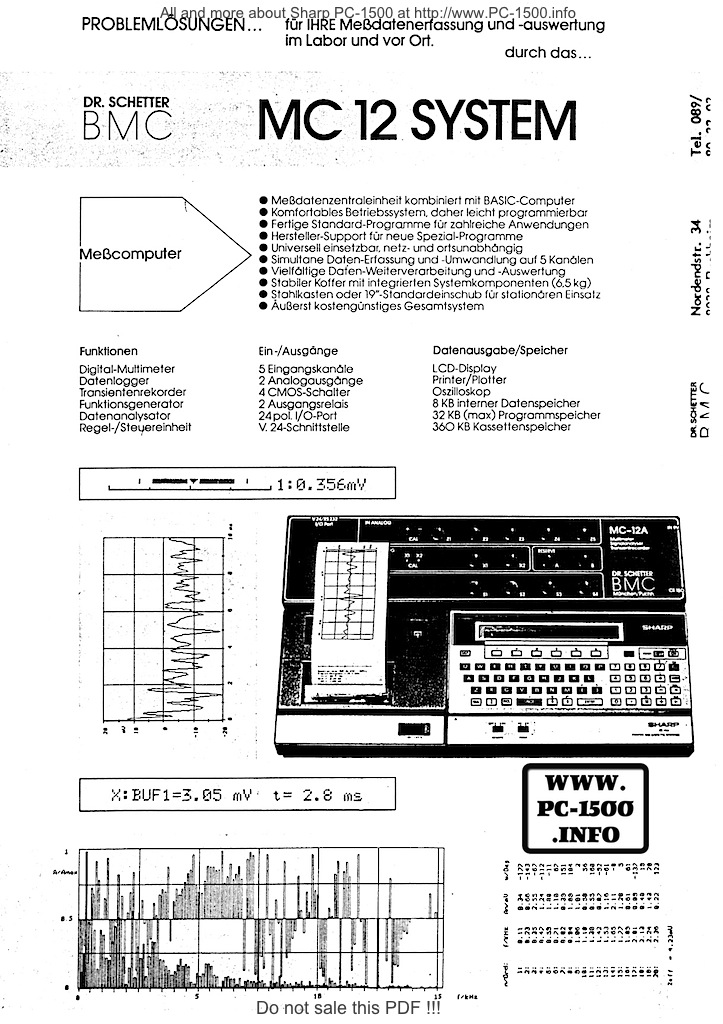
Download advert
Data acquisition unit combined with BASIC pocket computer
• Comfortable operating system, so easy to program
• Standard programs for numerous applications
• Manufacturer support for new special programs
• Universally applicable (network and battery)
• Simultaneous data acquisition and conversion on 5 channels
• Multiple data processing and analysis
• Sturdy case with integrated system components (6.5 kg)
• Steel box or Standard 19″ case for stationary use
• Extremely cost-effective overall system
| Functions | Input/Outpus | Storage |
|---|---|---|
| Digital Multimeter Data recorder Transient recorder Functions generator Data analyzer Regulation / control unit | 5 input channels 2 analog outputs 4 CMOS switch 2 output relays 24 pol. l / O port V.24 interface | LCD display Printer / Plotter Oscilloscope 8 KB of internal RAM 32KB (max) prog 360KB tape |
Yes ! The instruction manual in Japan is here !
But there are some other manuals missing… can you help me ? 😉
All my PC-1500 and clones manuals
| Manuals JP | Link |
|---|---|
 | Download |
 | Download |
 | Download |
The BMC’s ROM is copyrighted RVS, Rasso Von Schlichtegroll !
This is a very good surprise, isn’t it ?
Then we have a very nice software to drive the BMC hardware.
The system brings us these new instructions :
MC-12A Basic instructions and codes
| AUTORANGE (E384) | INFUNCTION (E399) | SCREEN (E381) |
| BUFFER (E363) | LOADBUFFER (E3A6) | SELECT (E3A9) |
| BUFLEN (E350) | MCON (E38A) | SETCOM (E3AF) |
| BUFINIT (E3A1) | MCOFF (E38B) | SETRANGE (E389) |
| BUFNUM (E351) | MULTIMETER (E39B) | SETTRIGGER (E395) |
| BUFREAD (E3A3) | OUTCHA (E382) | SETSCANTIME (E396) |
| BUFOPEN (E3A4) | OUTSCREEN (E393) | SETPREHIST (E397) |
| BUFWRITE (E3A5) | PREHIST (E355) | SETFUNCTION (E398) |
| BUFRANGE (E364) | POSITION (E356) | SLEEP (E39E) |
| CHA (E361) | PLOT (E39A) | TRIGGER (E354) |
| COM (E3AE | RANGE (E362) | TRANSREC (E39C) |
| DBUFINIT (E3AB) | RELAY (E39D) | POSTLOAD (F0DC) |
| INCHA (E386) | ROM# (E357) | RVSLOAD (F0FB) |
| INIT (E390) | SWITCH (E380) | |
| INSCAN (E3AA) | SCANTIME (E353) |
The last two (POSTLOAD, RVSLOAD) have special functions.
RVSLOAD loads a sample program originally stored in the ROM :
(Thanks to my new tools for the CE-158 with syntax highlighter)
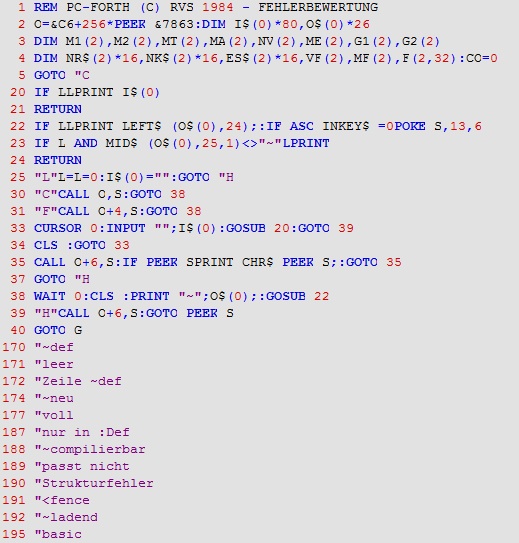
But if you use POSTLOAD the program is bigger !
Download this program : MC-12A_Forth_Full.TXT
As a big bonus, here is the user manual for the FORTH language :
Download this manual : BMC_MC-12_Forth.pdf
Next time we will discover the MC-12A technical side.
This will be a little boring but necessary.
Do you need some tool to use easily your CE-158 ?
My new software is now in BETA version and will be soon available.

Features ?
Communicate with your CE-158 using CSAVE, CSAVEM, CSAVEr, CSAVEa formats.
Application menu reflects your directories for .BAS and .BIN files.
Syntax editor with completion and code snippets.
…
Currently testing the BETA 0.1 and all works great.
Features to include ?
Data exchange with PRINT.
Basic decode routines when using CSAVE
…
Do you want some other features ?